Understanding Access Control Maintenance in Hamilton
How Hamilton’s Weather Affects Electronic Security Systems
Hamilton’s climate is known for its mix of warm summers, cool winters, and periods of high humidity. These fluctuating conditions can place stress on electronic components within access control systems. Moisture exposure may interfere with wiring, corrode terminals, or reduce the accuracy of sensors.
Outdoor card readers, keypads, and door strikes are particularly vulnerable. As temperatures change, condensation can form inside protective casings, which may cause electronic faults. Understanding how the climate influences system performance helps homeowners and businesses adopt the right maintenance habits.
Why Regular Maintenance Improves System Lifespan
Regular checks and cleaning extend the lifespan of access control equipment. These systems contain sensitive electronics that require stable operating conditions to perform reliably. Without maintenance, small issues such as weakened seals, loose wiring, or dirt build-up can develop into major faults.
Maintaining the system also improves reliability, which is essential for buildings needing secure and consistent access. In Hamilton’s variable climate, regular upkeep ensures the system continues working smoothly regardless of weather patterns.
Common Environmental Challenges for Access Control Users
Humidity, rainfall, and dust are the most common environmental challenges affecting access control systems in the region. Moisture compromises electronic components, while dust and dirt can block sensors or make keypads stick.
Outdoor devices often face UV exposure, which can degrade plastic casings and reduce visibility on screens. Effective maintenance addresses these environmental risks before they cause system failure.
Routine Checks for Access Control Systems in Hamilton
Inspecting Keypads, Card Readers, and Smart Locks
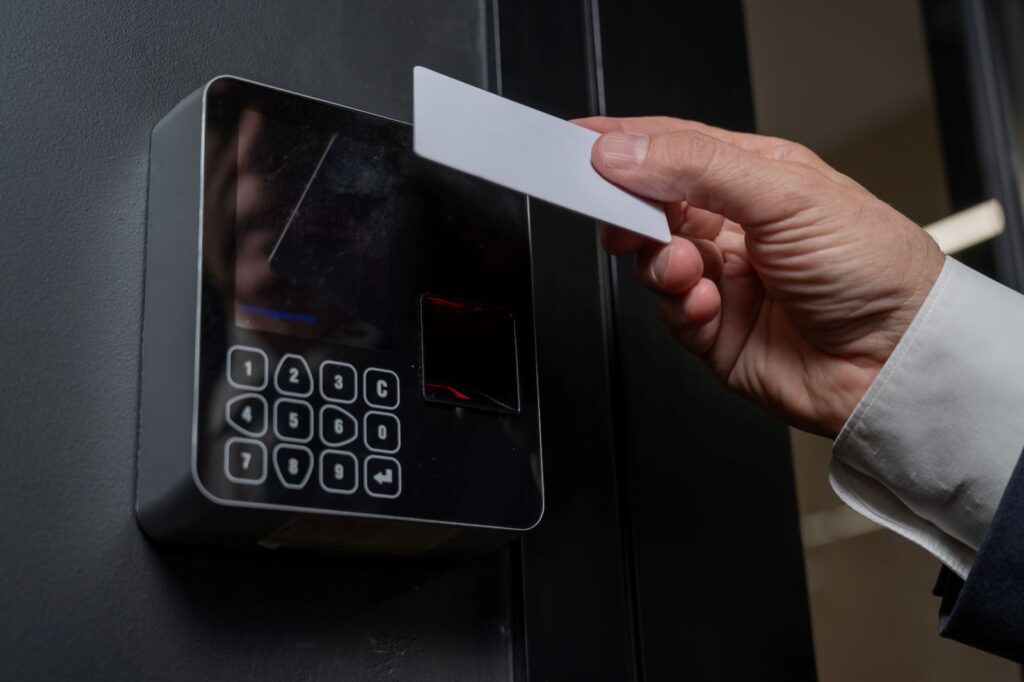
Routine visual inspections help detect early signs of wear. Keypads should be checked for stuck buttons or fading numbers. Card readers must be inspected for inconsistent scanning, cracked casings, or damaged cables.
Smart locks may show signs of lag or delayed response, which can indicate low battery power or software conflicts. Identifying these issues early is a crucial part of maintaining system reliability.
Cleaning Sensors and Entry Hardware Properly
Dust, pollen, and fingerprints accumulate quickly on frequently touched access points. Cleaning sensors and touch surfaces ensures consistent performance. Use a soft cloth and non abrasive cleaner to avoid scratching lenses or damaging plastic components.
For magnetic or RFID readers, gentle cleaning prevents residue from interfering with scanning accuracy. Outdoor hardware may need more frequent cleaning because of exposure to the elements.
Testing Power Supplies and Backup Batteries
Power interruptions are a common cause of system failure. Testing the power supply ensures the access control device receives stable voltage. Backup batteries in smart locks and controllers must also be checked regularly. Replacing batteries before they fail prevents unexpected lockouts. This is especially important for properties that rely heavily on automated or keyless systems.
Protecting Access Control Equipment From Hamilton’s Moisture and Humidity
Preventing Corrosion on External Access Points
Metal components such as mounting brackets, screws, and wiring terminals are susceptible to corrosion in damp conditions. Applying corrosion-resistant coatings or using stainless steel hardware reduces this risk. Keeping external devices covered or shielded from direct rain also helps maintain their condition over time.
Weatherproofing Outdoor Devices for Better Reliability
Weatherproof housings provide an extra layer of protection. These casings prevent moisture from entering the device and damaging internal electronics. Ensuring gaskets and seals are intact is vital for maintaining the weatherproof barrier. Over time, UV exposure can weaken rubber seals. Replacing worn components prevents water ingress during heavy rain.
Managing Condensation Issues in Enclosed Areas
Condensation can build up inside device housings when warm air meets cold surfaces. Small ventilation holes or moisture absorbing packets can help control this. In more severe cases, outdoor enclosures with heating elements may be needed. Addressing condensation is important because it prevents corrosion and short circuits.
Software and System Updates for Better Performance
Keeping Firmware and Security Software Up to Date
Access control systems rely on software to manage permissions, log entries, and communicate with other security devices. Manufacturers often release updates that improve functionality, patch security vulnerabilities, or enhance compatibility. Keeping the firmware updated ensures the system stays secure and operates efficiently.
Managing User Access Levels and Permissions
Over time, staff or residents may change roles or leave the property. Regularly reviewing and updating access permissions prevents unauthorised entry. Removing inactive users enhances security and reduces confusion during audits. Good digital housekeeping is an essential part of system maintenance.
Ensuring Compatibility With Other Security Systems
Many access control setups are integrated with CCTV, alarms, or intercoms. Software updates and configuration checks ensure these systems communicate correctly. Compatibility issues may cause delays, false alerts, or access errors. Regular testing ensures all devices work together smoothly.
Troubleshooting Common Access Control Problems in Hamilton
Fixing Card Reader and Keypad Malfunctions
Card readers may stop scanning if the internal antenna becomes damaged or if dirt builds up on the surface. Keypads may fail when circuits are compromised by moisture. Basic cleaning and checking for loose wiring often solve minor issues. If faults persist, professional diagnostic tools may be required.
Identifying Communication or Network Failures
Access control systems connected to networks may experience communication failures due to faulty cables, weak Wi Fi signals, or outdated software. Inspecting the network connections and ensuring routers are functioning correctly helps restore system stability. Regular network maintenance also reduces downtime.
Solving Power and Connectivity Interruptions
Intermittent power supply or loose cables are common causes of system interruption. Inspecting connectors and testing backup power helps maintain reliability. For wireless systems, checking signal strength improves performance and reduces delays during authentication.
When to Call a Professional Access Control Technician
Signs That Your System Requires Expert Servicing
Repeated faults, unresponsive devices, or inconsistent performance indicate that professional servicing is needed. If an access control system fails during bad weather or shows signs of water damage, prompt assessment helps prevent further deterioration.
Advantages of Scheduled Professional Maintenance
Technicians use specialised tools to diagnose internal faults and perform deep cleaning. They can identify worn parts that homeowners may overlook. Scheduled maintenance improves system reliability and reduces the likelihood of emergency repairs.
How Technicians Improve System Security and Reliability
Professionals can update software, replace vulnerable components, and optimise device placement. Their expertise ensures that the access control system remains secure, efficient, and compliant with modern standards.
Long Term Strategies for Reliable Access Control
Creating a Regular Maintenance Checklist
A structured maintenance routine ensures nothing is overlooked. This includes checking batteries, cleaning hardware, reviewing user permissions, and inspecting outdoor enclosures. A consistent schedule helps keep systems operating at peak performance.
Planning for System Upgrades Over Time
Technology evolves quickly. Upgrading components or adding features such as biometric readers or mobile access improves security. Planning for future upgrades ensures the system remains effective as needs change.
Improving Security Through Preventative Care
Preventative maintenance reduces risk. This includes monitoring environmental conditions, addressing minor issues early, and using high quality protective hardware. Investing in preventative care ultimately enhances the safety and reliability of the entire property.